
Lancom Technology welcomes Evergreen as a major shareholder
April 14, 2024Evergreen, a US based group of MSPs has become a majority shareholder of Lancom Technology. The investment marks Evergreen’s first expansion into the Australia and New Zealand MSP technology space and will help fuel further growth for Lancom and its customers.

Lancom Technology racks up another milestone, adds AWS Microsoft Workloads Certification
January 16, 2024Just one month after achieving Amazon Web Services Migration competency, Lancom Technology has followed up with competency certification in Microsoft Workloads. It’s remarkable pace from the managed services provider and software developer, but Group CEO Waruna Kirimetiyawa says it’s all in a day’s work.
.png?width=1920&height=1080&name=AWS%20Migration%20Competency%20(2).png)
Lancom appoints Darryl Grauman as Head of Revenue
January 10, 2024Growth remains firmly on the agenda for Lancom Technology as it starts 2024 with a key hire. Former AWS APAC Head of Strategic Alliances Darryl Grauman joins the company as Head of Revenue and a member of the Senior Leadership Team where he will apply extensive experience in the Managed Services and Software as a Service channel to help Lancom Technology achieve their local and global expansion ambitions.

Empowering Tomorrow's Innovators: Lancom Technology's Role in Indigitech Initiative
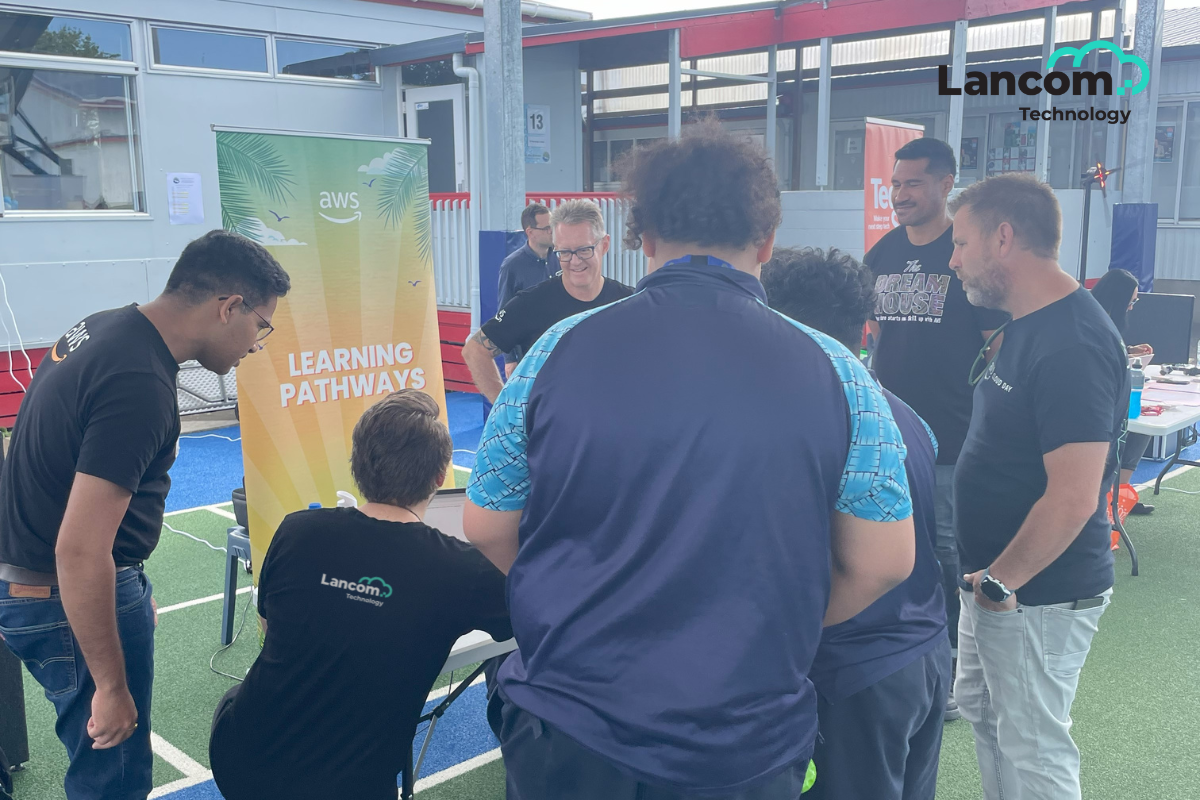
December 19, 2023In an era dominated by technological advancements, ensuring access to education in science, technology, engineering, and mathematics (STEM) is crucial for fostering innovation and diversity in the tech industry and to support its projected growth. The Indigitech initiative is a shining example of how industry leaders are coming together to inspire the next generation by providing digital learning to Intermediate age children.
Lancom Technology secures AWS Migration Competency Status
November 6, 2023Lancom Technology has joined a handful of New Zealand companies to secure Amazon Web Services (AWS) Migration Competency status. The Auckland-headquartered Managed Services Provider and software developer secured the competency by demonstrating proficiency and technical expertise in migrating several clients onto the AWS platform.
.png?width=2880&height=1620&name=AWS%20Migration%20Competency%20(1).png)
35 Years of Lancom Technology – A message from Group CEO Waruna Kirimetiyawa
October 31, 2023October marks a remarkable milestone in the journey of Lancom Technology, as we celebrate our 35th anniversary. From our humble beginnings to becoming an established provider in the ANZ region, our success has been driven by the unwavering commitment and dedication of our people, customers, and partners.
Lancom Technology achieves Microsoft Solutions Partner for Digital & App Innovation (Azure) status designation
August 18, 2023Lancom Technology has achieved Microsoft Solutions Partner status for Digital & App Innovation (Azure). The new certification follows Lancom’s April 2023 announcement of completing the requirements for Microsoft Solutions Partner for Infrastructure (Azure), affirming the company’s commitment to building the skills and capabilities required for modernising legacy environments and digital automation for business efficiency.
Lancom Technology partners with Tech firms to launch digital program to low decile children
June 30, 2023Indigitech addresses the digital skills and diversity gap in the fast-growing IT industry. This initiative targets year 7 and 8 students by providing them with free digital access to STEM learning with a particular focus on students from Māori and Pacific Island communities who are less likely to follow a career in technology.

Lancom Technology achieves Microsoft Solutions Partner for Infrastructure (Azure) status
April 14, 2023With changes in the Microsoft Partner network seeing the retirement of the Gold and Silver Partner designations, trans-Tasman solution provider Lancom Technology has fulfilled the requirements for Solutions Partner for Infrastructure (Azure).
Lancom Technology Welcomes AWS Melbourne Region
April 13, 2023Lancom Technology has welcomed the introduction of an Amazon Region in Victoria’s state capital. A second region in Australia further increases the appeal of AWS for its customers, while affirming the American company’s commitment to markets down under.

Lancom secures AWS Cloud Innovation Healthcare Industry award
April 6, 2023New Zealand-headquartered trans-Tasman managed services provider and software developer Lancom Technology was last night named an AWS Cloud Innovation Healthcare Industry award winner for successfully delivering a major application modernisation project for Geelong’s Barwon Health.
-1.png?width=2487&height=2226&name=MicrosoftTeams-image%20(19)-1.png)
Waruna Kirimetiyawa: Catching up with the Lancom Group CEO, 21 years in
March 27, 2023We caught up with Lancom Group CEO, Waruna, to chat about his time with the company. Originally joining as an intern in 2002, Waruna has now dedicated 21 years to the managed services provider.

Lancom introduces Product Support for SaaS vendors
November 24, 2022Demonstrating that innovation is alive and well in the Australasian managed services provider market, Lancom Technology has introduced a Product Support division.

We're finalists for the Reseller News Innovation Awards 2022
September 29, 2022We’re incredibly proud to announce we’ve been shortlisted as finalists for the Reseller News Innovation Awards 2022 in two categories: Partner Innovation and Tech Innovation.

Lancom Technology promotes Bryony Chan to Business Process Automation Lead
September 8, 2022With Business Process Automation using low-code, no-code technologies emerging as a key opportunity in the market and a significant division within Lancom Technology, the managed services provider has appointed Bryony Chan to lead the solution team. Having joined Lancom as a graduate, this represents the culmination of Chan’s 17-year career with the company.

Lancom Technology Appoints Ben Walton as Head of Managed Services
August 30, 2022With a burgeoning market for managed services, leading provider Lancom Technology has appointed Ben Walton to head this core division of its business.

Global CX Thought Leader Matt Watkinson Announced as Keynote Speaker
June 20, 2022Lancom Technology has announced Matt Watkinson, an award-winning authority on customer experience (CX), will be visiting Aotearoa in July to run CX masterclasses for its customers and partners.
/Matt%20Watkinson.jpg?width=301&name=Matt%20Watkinson.jpg)
We've Confirmed our Highest Level of Security with ISO 27001 Certification
May 30, 2022We've successfully been awarded certification against the ISO 27001 standard, confirming our high level of reliability in protecting customers and data from security threats.
/ISO%2027001%20Certification.jpg?width=301&name=ISO%2027001%20Certification.jpg)
We’re Finalists for Two AWS Partner Awards
May 4, 2022We’re proud to announce we are finalists for two Amazon Web Services (AWS) Partner Awards with Lancom Technology being shortlisted for both Services Partner of the Year New Zealand and Rising Star Partner of the Year.
/AWS%20Partner%20Award%20Finalists%202022.png?width=301&name=AWS%20Partner%20Award%20Finalists%202022.png)
Lancom Technology Appointed Software Development Partner for Leadership Business Winsborough
February 16, 2022Lancom Technology, a leading software and technology provider serving Australia and New Zealand, has been appointed by Winsborough to provide software development services. The appointment follows a competitive tender with Lancom Technology being selected as Winsborough’s preferred partner.

Lancom Technology Acquires Majority Stake in Health and Safety Software Provider HSE Connect
February 9, 2022Lancom Technology, a leading software and technology provider serving Australia and New Zealand, has acquired a majority stake in HSE Connect Ltd. HSE Connect Ltd provides a health and safety SaaS application called HSE Connect which has an existing customer base of over 700 businesses across New Zealand and Australia.
/Waruna%20%26%20Tony.jpg?width=875&name=Waruna%20%26%20Tony.jpg)
Lancom Technology Appoints Toni Southon as Chief Financial Officer
December 13, 2021Lancom Technology, a software and technology provider serving Australia and New Zealand, has announced that Toni Southon has been appointed as its new Chief Financial Officer.

Lancom Technology Promotes Priscila Bernardes to General Manager
October 8, 2021Lancom Technology has promoted Priscila Bernardes to the new role of General Manager. Priscila will continue to report to Chief Executive, Waruna Kirimetiyawa, working with the wider leadership team to implement the strategy aimed at continuing to grow the Lancom Technology business.

Finalists for the Australian and New Zealand Reseller Innovation Awards
October 1, 2021Lancom Technology, a software and technology provider serving Australia and New Zealand, has been announced as a finalist in both the Australian and New Zealand Reseller News Innovation Awards.
Both awards programmes have shortlisted Lancom Technology as finalists in the Tech Innovation category for its work providing cloud services to customers.
/Innovation%20Award%20Finalists%202021.png?width=875&name=Innovation%20Award%20Finalists%202021.png)
Lancom Technology Announces Appointment of Phill Claxton as Chief Technology Officer
September 2, 2021Lancom Technology has announced Phill Claxton has returned to the company as its new Chief Technology Officer. In this role, Claxton will set the technical direction for the fast-growing company and take the lead on talent development with the goal of creating new, profitable products and services.

Next generation tech set to enhance patient safety via mobile app
August 12, 2021Prompt Documents partners with Lancom Technology to enhance the healthcare documentation app - Prompt. The new app provides the Australian medical community with real-time patient care guidance.
/Barwon%20Health-875x580-tinted.jpg?width=875&name=Barwon%20Health-875x580-tinted.jpg)
Lancom Technology Appoints Chong Looi as Chief Product/Technology Officer
November 27, 2020Lancom Technology has announced the appointment of Chong Looi as Chief Product / Technology Officer, with immediate effect.

Lancom Technology Announces Brand Refresh
November 18, 2020Lancom Technology has announced a refresh of its core brand elements, reflecting the growth and evolution of Lancom Technology as a leading provider of technology products and services.

Lancom Technology Shortlisted for Microsoft Partner Awards
November 5, 2020Lancom Technology has been shortlisted for Microsoft New Zealand’s 2020 Partner Awards, with the company being recognised in the Azure Migrate Award category for its work migrating multiple companies to Microsoft Azure, in particular, financial services client MMC.
/img-news-cropped-microsoft-1.jpg?width=875&name=img-news-cropped-microsoft-1.jpg)
Lancom Technology Accelerates Managed Services Growth with Connect 2 Acquisition
October 13, 2020Lancom Technology, an Auckland based software and technology provider, announced today that it has accelerated its managed services growth by acquiring Connect 2, the Parnell based managed services company.
/img-news-cropped-waruna-1.jpg?width=600&name=img-news-cropped-waruna-1.jpg)
Lancom Technology Appoints Dan Williams as Non-Executive Director for Australian Business
September 29, 2020Following the introduction of an office in Melbourne, Victoria, Lancom Technology has appointed Dan Williams as a non-executive director as a part of the company’s expansion in the Australian market.
/img-news-cropped-dan-williams-1.jpg?width=600&name=img-news-cropped-dan-williams-1.jpg)
We're Finalists for the Reseller News Innovation Awards 2020
September 4, 2020We’re incredibly proud to announce we’ve been shortlisted as finalists for the Reseller News Innovation Awards 2020 in the category of Customer Value.
/img-news-cropped-awards-finalist-1.jpg?width=875&name=img-news-cropped-awards-finalist-1.jpg)
Lancom Technology Opens Australian Office, Maintains Growth Focus Despite COVID Challenge
August 27, 2020Lancom Technology, an Auckland based software and technology provider with a track record of successfully serving customers in Australia for more than a decade, has opened its first physical office in Melbourne, Victoria. The office is staffed by account management, presales, and solutions architect professionals, backed by Lancom Technology’s proven delivery team located in Auckland.
/img-main-cropped-au-nz-2.jpg?width=875&name=img-main-cropped-au-nz-2.jpg)
We've Been Shortlisted for ARN Innovation Award 2020
August 4, 2020We're proud to announce we've been shortlisted for an award at the ARN Innovation Awards 2020.

Lancom Technology First in New Zealand to Achieve AWS SaaS Competency
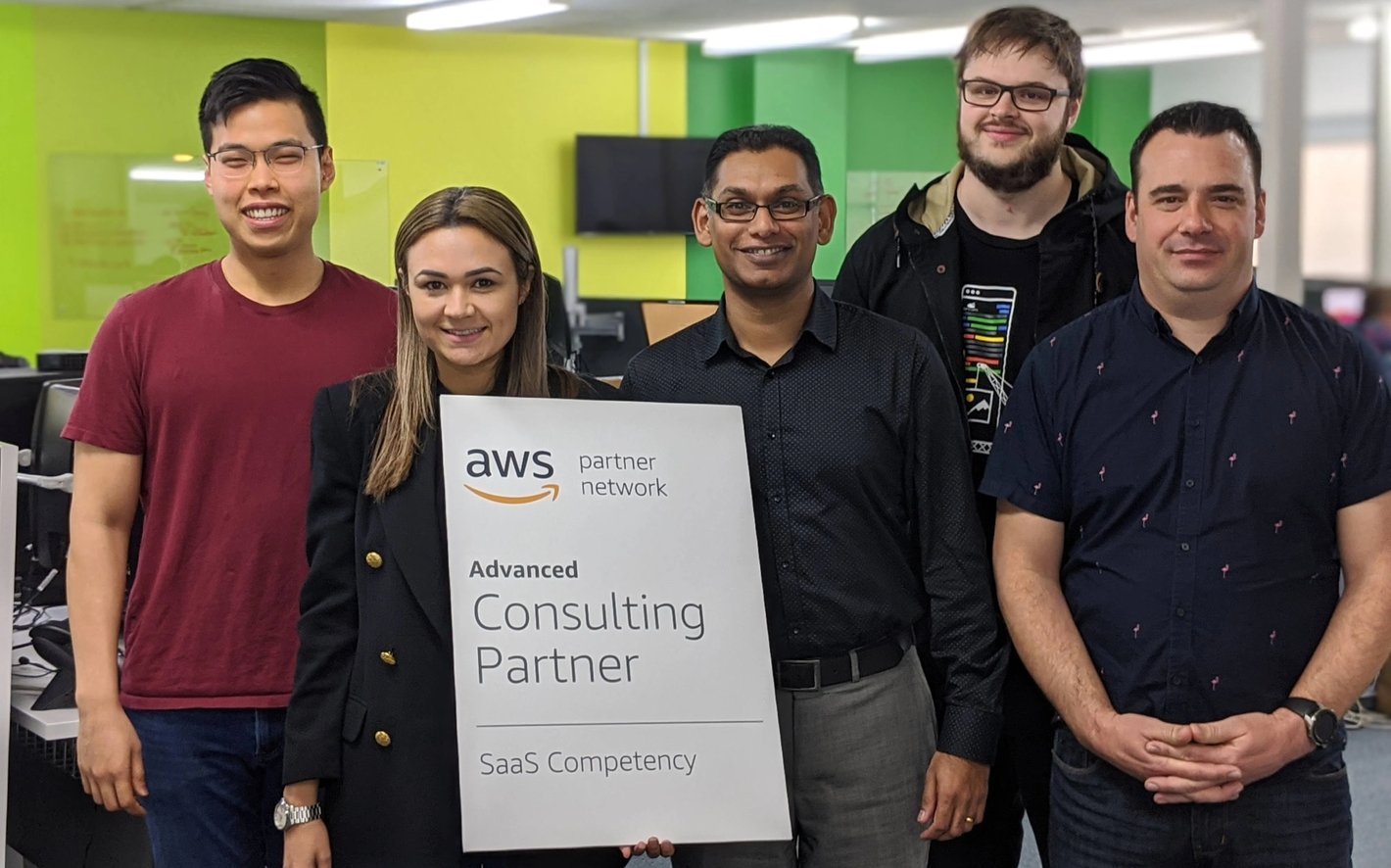
July 30, 2020Lancom Technology, an Auckland based software and technology provider, announced today that it is the first in the Amazon Web Services (AWS) Partner Network (APN) in New Zealand to achieve the AWS Software as a Service (SaaS) Competency status, becoming one of just 26 AWS partners around the world to hold the competency.
Lancom Technology Launches New CSP Portal
June 23, 2020Lancom Technology, an Auckland based software and technology provider, has launched its new Cloud Solution Provider (CSP) Portal integration, enabling CSP providers to automate billing and free themselves from the manual invoicing of Office 365 agreements.
-1.png?width=1200&name=Launch%20of%20New%20CSP%20Portal%20(1)-1.png)